Screenwriting · Formats
Bring any screenplay in. Take it out as FDX, Fountain or PDF
Your script shouldn't be locked in any app, including ours. ClipTap reads ten file types, lays the text out as screenplay blocks without changing a word, and writes the industry formats back out whenever you want.
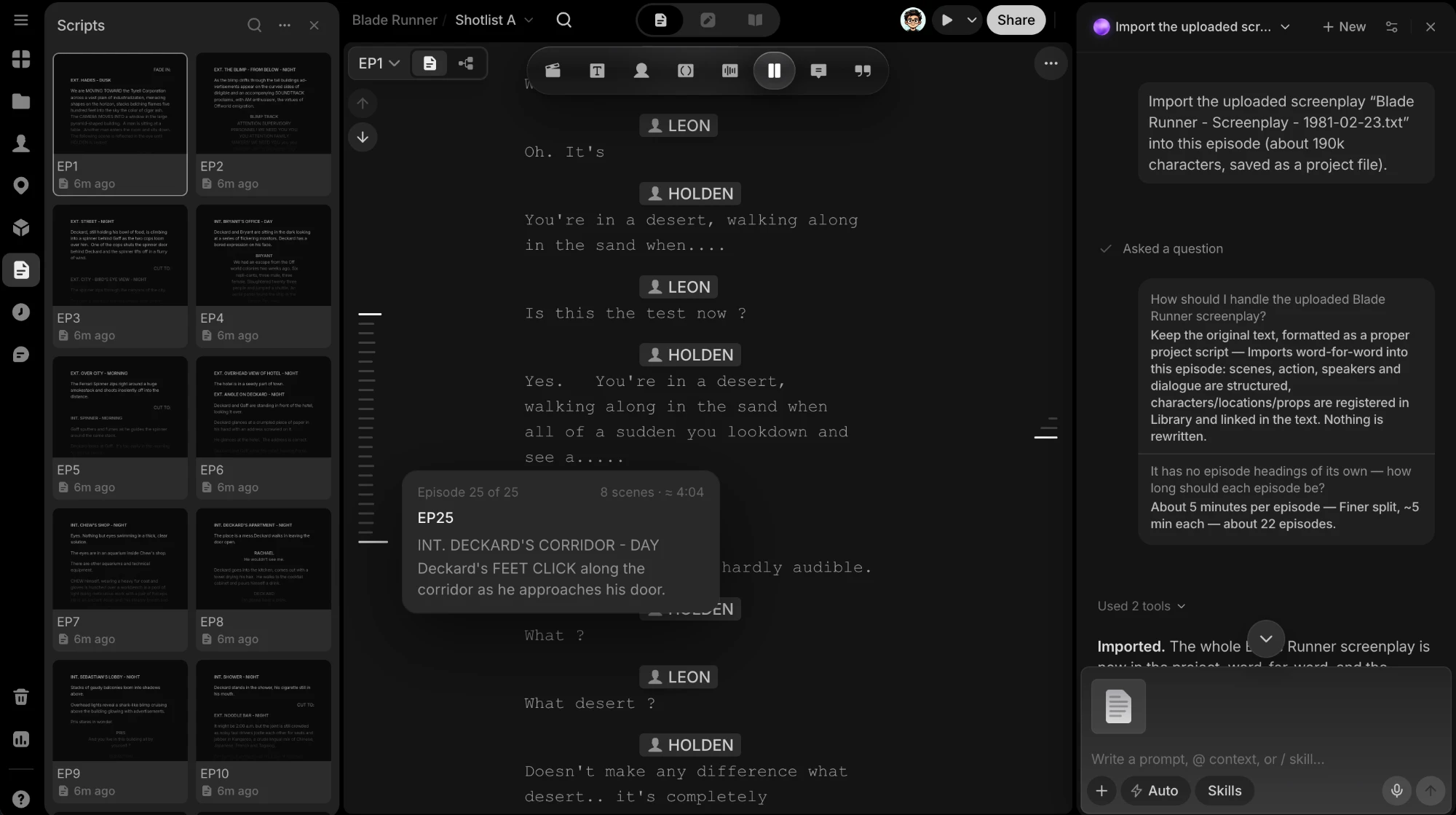
What you can import
- Final Draft (.fdx) and Fountain (.fountain)
- PDF, including scripts exported from other screenwriting apps
- Word (.docx, .doc), RTF and OpenDocument (.odt): where the file keeps paragraph styles and indents, they are read to tell dialogue from action
- EPUB, plain text (.txt) and Markdown (.md)
Pasting a long screenplay into the Agent's message box works too: it is recognised as a script and handled like an uploaded file.
What an import does
Keeps your words
The text comes in as you wrote it, laid out as Scene, Action, Character, Dialogue and the other blocks, and is checked word for word against the file.
Splits episodes
A file with episode headings becomes one script per episode (EP1, EP2…). A long piece without them makes the Agent ask how long an episode should run (about 2, 5 or 10 minutes, or your own length) and cut at scene breaks.
Fills your Library
Characters, locations and props the import finds become Library entries, linked from the script.
Can be undone
Press ⌘Z in an episode to take back what the import wrote there.
What you can export
- Final Draft (.fdx), with scene numbers (when the script has them) and a title page with the draft date, to open in Final Draft and the apps that read it.
- Fountain (.fountain), the plain-text screenplay format that any text editor and most screenwriting apps can open.
- Print / Save as PDF, laid out in the script's own layout: Hollywood or Asian. Mostly-CJK scripts break lines by CJK rules.
Export is in every workspace, free, from the episode's ⋯ menu.
Only need to convert a file, without an account? The free screenplay converters turn Fountain, FDX or plain text into FDX, Fountain or PDF in your browser.
FDX or Fountain?
Choose FDX when the next person works in Final Draft: a producer, a showrunner, a contest that asks for it. Choose Fountain when you want a file that stays readable as plain text, diffs cleanly in version control and opens anywhere. PDF is for reading and submitting, not for editing.














Upload a script and see it laid out in seconds.
Start free. Credits never expire, and you pay only for what you generate