Production · Shot list
From script to shot list, and on to the takes
A shot list is where a script becomes a plan: what the camera sees, for how long, in what order. ClipTap Agent reads your scene and breaks it into sequences and shots, each with its shot type, lens, camera move, duration, characters and lines.
The list doesn't stop at a spreadsheet. Every shot carries a prompt, its references and its takes, so the same list you planned is the one you generate, review and hand to your editor.
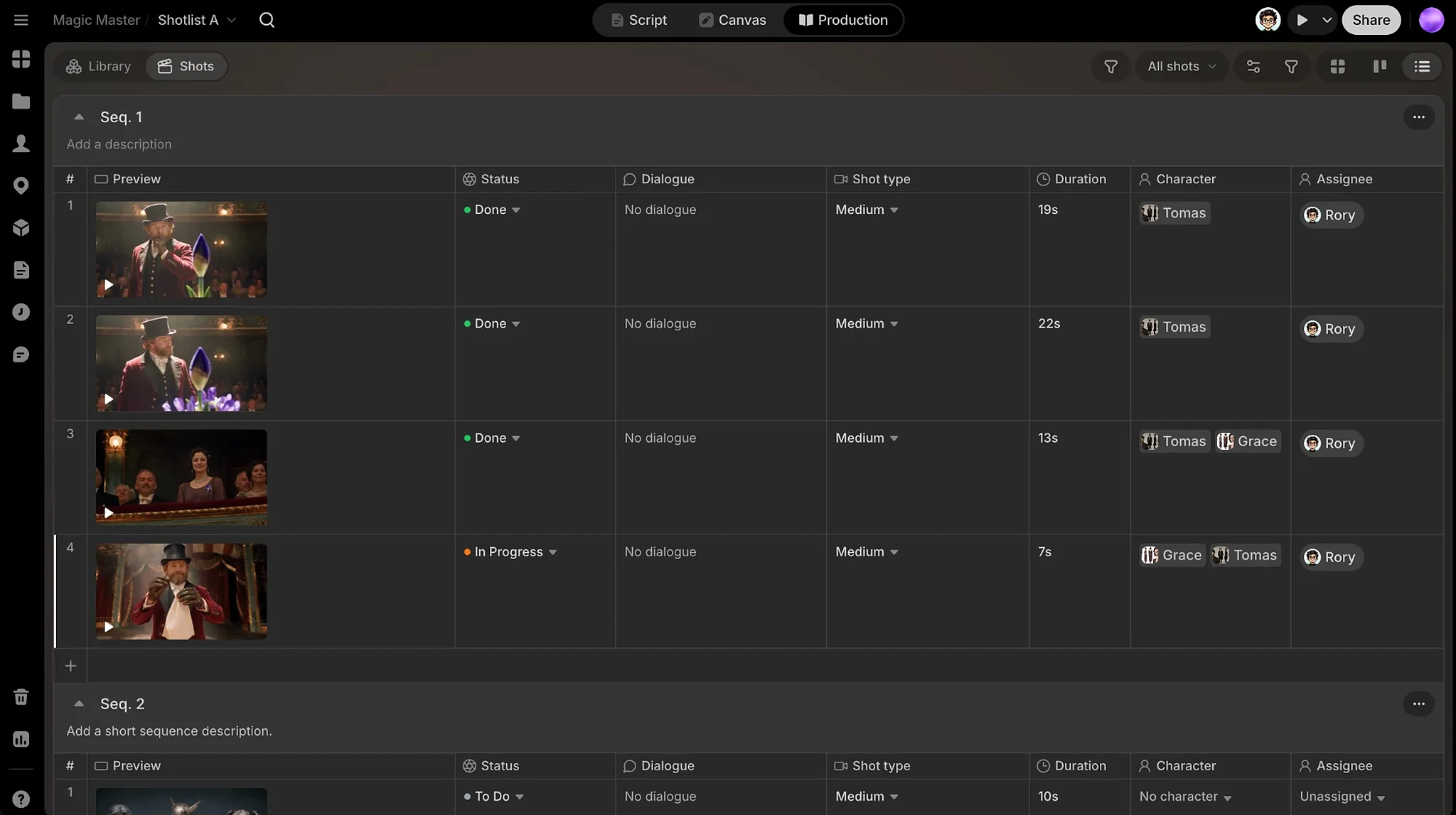
What goes into each shot
- Shot type, lens and camera movement, the words a cinematographer uses: close-up, over-the-shoulder, dolly in, handheld.
- Duration in whole seconds, because video models take whole seconds. A shot planned with several cuts lasts as long as its cuts together.
- Location, characters and props, linked to your Library, so the right faces and sets come with the shot when it generates.
- Dialogue and a description of the action, taken from the script, not rewritten.
- Status, assignee and priority, for when a team shares the work.
How the breakdown works
Ask the Agent in plain words: "Build a shot list for scene 3", or "Break episode 2 into shots for a 9:16 short drama." It reads the script, the World Documents and the Library, so you don't explain the story again. The shots land in the active Shotlist as drafts, each with a prompt ready to run.
Change any shot by hand or by asking: split a shot, merge two, swap a close-up for a wide. Keep a second Shotlist to try another cut without touching the main one.
Three ways to look at the same list
Grid
every shot as a card with its picture, storyboard, prompt and chips for shot type, lens and movement.
Kanban
shots by status, so you see what is waiting and what is done.
List
one row per shot with every field, for bulk edits.
The sequence timeline on the canvas shows the same Shotlist as a strip you can play from start to finish.
From the list to the cut
Tick the drafts and generate them in one batch on the model you choose; the button shows the cost before anything runs. Pick the take you want on each shot, then export the Shotlist to Premiere Pro, Final Cut Pro, DaVinci Resolve or CapCut with every take in shot-list order.
Questions
Paste it into the Agent, or import the script and ask for the breakdown. You can also build the list by hand: add sequences and shots on the timeline and fill each one in.
It works from the script whatever its layout: Hollywood, Asian or a vertical short drama. Lines and action are carried over word for word.
The Shotlist exports as an editing timeline (FCPXML) with its media. For a written list, ask the Agent to summarise it, or read it in List view.














Paste a scene and get a shot list back in a minute.
Start free. Credits never expire, and you pay only for what you generate